A free police detector app turns your phone into a live police, fire and EMS radio receiver.
Five apps do this well, and one of them pings you when a feed suddenly fills up with listeners.
Read on to see which app fits your phone, and how to set one up in under five minutes.
What a free police detector app does and what it costs
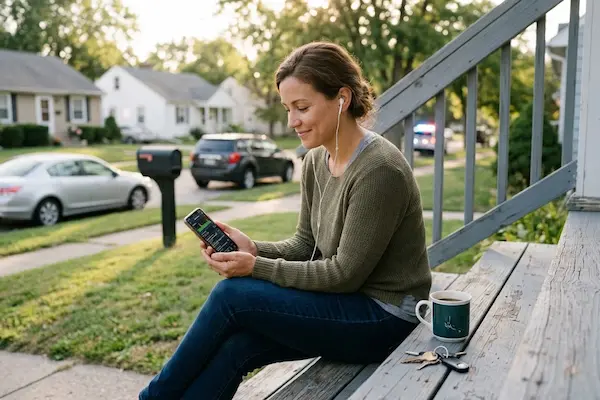
A free police detector app streams the live radio traffic that police, fire and EMS crews broadcast on open frequencies. Installing one costs nothing, and you do not need an antenna, a handheld scanner or a subscription to listen.
Where they differ is coverage and how they present the audio. Here is the short version.
| App | Best for |
|---|---|
| Scanner Radio | Over 8,000 feeds and breaking news alerts |
| Police Scanner 5-0 | Searching 7,700 police, fire and EMS feeds |
| Police Scanner Live Radio | Finding the feeds closest to you |
| Citizen | Plain English alerts, no radio codes |
| Broadcastify | The stream library the other apps pull from |
Broadcastify, the platform that hosts most of these streams, describes itself as the world’s largest source of public safety, aircraft, rail and marine live audio, and lists more than 7,000 live feeds open to anyone at no charge. In the United States, listening to those open public safety frequencies is legal for civilians.
So the real question is not whether you can listen. It is which app gives you your own county without twenty minutes of setup, and that starts with what actually changes once the audio is running.
get Scanner Radio on Google Play
What changes when you can hear your local dispatch feed
You stop finding out about things in your own neighborhood hours late, from a comment thread.
The pattern is familiar. Sirens go by, a helicopter circles, and you check a local group where nobody knows anything yet. Traffic backs up on your route to work and you learn why after you are already sitting in it. The information exists, spoken out loud on an open frequency, and you are simply not in the room.
With a feed open, that gap closes. A road closure becomes a reason to leave ten minutes earlier. A brush fire two towns over becomes a reason to bring the patio furniture in. None of this is dramatic, and that is the point: the value is small, practical decisions made earlier.
✅ Tip: save two feeds instead of one. Your county sheriff plus your city fire department covers most of what happens near you.
Which app you pick decides how quickly you get there, so here is what separates the five.
The 5 free police scanner apps worth installing
All five are free to install, and each one solves a different problem.
Scanner Radio, the biggest library on Android
Scanner Radio, published by GordonEdwards.net LLC, lists over 8,000 fire and police scanners, NOAA weather radio stations, ham radio repeaters, air traffic and marine radios from around the world. On Google Play it sits at 4.7 stars from roughly 496,000 reviews, with more than 10 million downloads, and the core app is free.
Its most useful feature is the listener alert. Notifications can fire any time a scanner passes 2,500 listeners, which usually means something big is happening and the crowd has found the feed. The threshold is configurable, so you can also watch a specific scanner or the nearest ones.
Police Scanner 5-0, built for searching feeds
Police Scanner 5-0: Live Radio advertises over 7,700 police, fire, EMS, emergency and weather feeds, searchable by keyword. It carries 4.1 stars from about 13,000 reviews and over 1 million downloads on Google Play, and it is free with optional in-app purchases.
Pick this one if you already know the agency you want. Typing a department name beats scrolling a county tree, and it is the quickest of the five for a feed somewhere you do not live.
Police Scanner Live Radio, for whatever is nearest
This app opens with a browse-nearby view and a scanner map, so it asks for location permission and then shows the feeds within range of you. It aggregates police scanners, fire alarms, wildfire maps, railroad radios, NOAA weather stations, marine, aircraft, emergency, news and amateur radio. It holds 4.8 stars from roughly 142,000 reviews and over 10 million downloads, and it is free with ads.
It is the best starting point if you have never used a scanner and do not know which agency covers you.
Citizen, for people who do not want radio codes
Citizen, from Sp0n Inc., does not hand you raw audio. It monitors real-time public safety activity and turns incidents into plain English notifications tied to your location, with live video from scenes when users broadcast it. It shows 4.5 stars from about 109,000 reviews and more than 5 million downloads, and the core features are free on Android and iOS.
Worth knowing: Citizen is not an official emergency service, and scanner audio clips sit behind its paid tier. If you want the alert without learning what a 10-code means, this is the one.
Broadcastify, the source behind the rest
Broadcastify is a website rather than a consumer app, and it matters because a large share of these streams originate there. Volunteers run receivers, feed the audio to the platform, and other apps play it back. Listening on the site is free, a useful fallback when an app cannot find your county.
What to check before you install a police detector app
The requirements are light, but three of them decide whether the audio actually plays.
One coverage note. Some departments use encrypted digital radio, and encrypted traffic appears on no app, free or paid. Fire and EMS channels are usually the most reliably open, which makes them the better first feed to save.
How to install a free police detector app step by step
Have your phone unlocked and your city and county name in mind before you start.
- 1Open your official store, Google Play on Android or the App Store on iPhone, and search the app name you picked above.
- 2Check the developer name on the listing before you tap install, because scanner apps have many copycats with similar icons.
- 3Install and allow location when the app asks, so the nearby feeds list fills in with your county instead of a national directory.
- 4Play one feed and save it to favorites, then add a second one from a different service, such as fire or EMS.
- 5Turn on alerts in settings, and set the listener threshold if the app offers one, so busy feeds reach you without you watching.
Two things go wrong most often. A silent feed is usually a quiet night, not a broken app, so leave it running ten minutes before judging it. If every nearby feed is missing, your area may be encrypted, so try the county or state fire channel instead.
Frequently asked questions about free police detector apps
The questions people ask most before installing, answered short.
Is a free police detector app really free?
Yes, for listening. All five options install at no cost and play feeds without a subscription. Free versions show ads, and some apps sell extras such as ad removal or archived audio, but the core listening does not require payment.
Is it legal to listen to police radio in the United States?
Listening to unencrypted public safety frequencies is legal for civilians in the United States. Those broadcasts go out in the open, which is why volunteers can relay them. Some states restrict scanner use while committing a crime, so check your own state rules.
Which app works on both Android and iPhone?
Scanner Radio and Citizen are both available on Android and iOS, and Broadcastify streams play in any mobile browser. If you switch phones often, those are the safer picks.
Can I hear police radio from another city?
Yes. The feed directories are national, organized by state, county and city, so you can follow a department where family lives as easily as your own. Police Scanner 5-0 is the fastest for this because you search by name.
What is the difference between a police scanner app and a radar detector app?
They are different tools. A police scanner app plays live dispatch audio so you know what is happening around you. A radar detector app is a driving tool built on crowdsourced reports. The apps here are scanners, meant for awareness at home, not for use behind the wheel.
Why we cover free public safety tools
Our job on this site is to show which free tools actually deliver, and which ones only look free.
Every claim above came from the app’s own store listing or the platform’s own site, checked while writing: the feed counts, the ratings, the download numbers, the alert thresholds and which features sit behind a paid tier. Where a claim could not be confirmed on an official page, it is not in this article. That is the whole method, and it is the reason a scanner guide here does not promise things the app cannot do.
It also shapes what we leave out. We never link to installer files from outside the official stores, because an app asking for location and notification access is exactly the kind you want reviewed by a store. And these feeds do not replace emergency services. If something is happening to you, the call goes to 911.
Start listening to your local feeds today
Pick one app, save your county and one fire channel, and you are done in less time than this article took to read.
Want the largest feed list and the alert for when a scanner suddenly gets busy? Start with Scanner Radio. Would you rather read a plain sentence than decode radio chatter? Start with Citizen. Either way, install from the official store and let the first feed run while you make coffee.
get Scanner Radio on Google Play
ℹ️ Important: this content is informative and independent. We have no affiliation, sponsorship or control over the apps, companies or agencies mentioned. Features, ratings and availability change, so confirm details on the official store listing. Scanner feeds are not an emergency service; in an emergency, call 911.