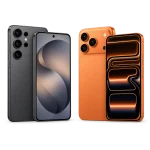
Searching for an iPhone 16 Pro free through Lifeline?
Start with what the federal benefit actually pays.
One detail in the rules changes the whole question, and it can protect you from a common scam.
Keep reading to see who qualifies, how to apply for free and how to use a phone you already own.
What Lifeline pays for, and why a free iPhone 16 Pro is left out
Lifeline pays part of your monthly phone bill, internet bill or bundle, up to $9.25 a month, and it never pays for the handset itself. An iPhone 16 Pro free through Lifeline is not something the program offers, because the discount is tied to your service, not to the device.
The Universal Service Administrative Company, USAC, runs the program under the supervision of the Federal Communications Commission, the FCC. Households on qualifying Tribal lands get a bigger discount, reaching $34.25 a month. The table below sums up the two levels.
| Benefit | What it pays |
|---|---|
| Regular discount | Up to $9.25 a month on service |
| Tribal lands discount | Up to $34.25 a month on service |
| Phone or tablet | Not paid by the program |
You can point the discount at a mobile plan, a home internet plan or a bundle, one at a time. USAC also limits the benefit to one per household, not one per person. Since the money follows the bill, the useful question is not how to get a free phone, but how to pay less for the phone you use.
See the official Lifeline rules
Who qualifies for Lifeline by income or program
You qualify when your household income is 135% or less of the Federal Poverty Guidelines, or when you, your child or another dependent in your home is enrolled in a qualifying federal program.
For the income route, lifelinesupport.org publishes the limits. In the 48 contiguous states and the District of Columbia, a single person can earn up to $20,331 a year and a family of four up to $42,120. Alaska and Hawaii have their own, higher limits, so people there should check the right column before ruling themselves out.
The program counts a household as everyone who lives together and shares money and bills, and that group can hold only one benefit. Approval also has an expiration of sorts, since eligibility is checked again every year. That matters for anyone planning to pair the discount with an iPhone they already carry.
How to use an iPhone 16 Pro you already own with Lifeline
The one legitimate way to enjoy an iPhone 16 Pro with this benefit is to keep the phone you own and move your line to a participating provider that applies the Lifeline discount to its plan.
Think about how most people end up in this spot. The phone came from a payment plan that is now finished, or a family member passed it along after an upgrade. The device is paid for. The monthly bill is what hurts, and the bill is exactly what Lifeline was built to reduce.
Providers call this option bring your own device, often shortened to BYOD. It works when two conditions are met. First, the phone must be unlocked, meaning no carrier still restricts which network it joins. Second, it must be compatible with the network the provider uses. Customer support can check both using the IMEI, the serial number found in the phone settings.
✅ Tip: before you switch, ask the provider two things: will my iPhone work unlocked on your network, and does the Lifeline credit apply to the plan I want?
Stay realistic about the numbers. A credit of $9.25 will not turn an unlimited premium plan into a free one, and it cannot pay off a device balance you still owe another carrier. It does trim a bill that shows up every single month.
What participating providers usually offer on the device side
When a Lifeline plan comes with a phone, that phone is a business decision of the provider, paid for by the company, and it is never part of the federal benefit.
Companies allowed to deliver Lifeline are called eligible telecommunications carriers. The brands you are most likely to see include Assurance Wireless, Q Link Wireless, TruConnect, SafeLink Wireless and Access Wireless. Each one writes its own rules for plans, coverage and devices, and those rules can change from one month to the next without any notice from the FCC or USAC.
No website can promise what a given company has in stock today. The better move is to ask before you enroll, preferably in writing: which phone comes with this plan, is it new or refurbished, what does it cost, and may I keep my own phone instead? A provider that answers clearly is showing you how it will treat you later.
Set expectations early. A current Apple flagship is a premium product, and free phone deals in this market almost always involve basic models. Anyone promising the opposite deserves a closer look.
How to recognize a free government iPhone scam
If an offer asks for a fee, for shipping money, or for documents through a chat app before it releases a free government iPhone, it is a scam. Lifeline never charges anyone to receive the benefit.
The script rarely changes. An ad or text names a pricey iPhone model, borrows an official looking seal, adds a countdown and then asks for a small payment or a photo of your Social Security card. The seal is fake, the countdown is invented and the money disappears. Genuine enrollment runs through the National Verifier, the federal eligibility system, and through the provider you pick yourself.
⚠️ Watch out: nobody can speed up your approval for money, and no real agent will ask for your bank password to handle a Lifeline application.
When in doubt, check with the program directly. The Lifeline Support Center takes calls at (800) 234-9473, every day of the week, from 9:00 a.m. to 9:00 p.m. Eastern Time, and answers email at [email protected].
How to apply for Lifeline step by step
Gather three things before you start: a photo ID, proof of your address, and proof of your income or of your enrollment in a qualifying program. The National Verifier may ask for any of them.
- 1Read the rules on lifelinesupport.org so you know the income table and the list of qualifying programs.
- 2Fill out the application on the National Verifier at getinternet.gov/apply, using your legal name, address and birth date exactly as your documents show them.
- 3Upload your proof if the system cannot confirm you on its own, such as an award letter or a recent pay stub.
- 4Pick a participating provider in your state, share your approval and ask for the credit on the plan you want.
- 5Move your own iPhone to the new line once the provider confirms it is unlocked and compatible.
- 6Answer the yearly notice because USAC rechecks eligibility every year and the credit stops if you stay silent.
Most delays come from two errors. A name on the form that differs from the name on your document sends the case to manual review. Ignoring the annual recertification, handled by USAC in most states and by the state itself in Oregon and Texas, ends the benefit. If your application stalls, the Lifeline Support Center can tell you which step is stuck.
Questions people ask about Lifeline and iPhone devices
Here are quick answers to the questions that come up once people see what the discount really covers.
Does Lifeline give you a free phone?
No. Lifeline is a discount on phone or internet service of up to $9.25 a month, or up to $34.25 on qualifying Tribal lands. A phone that comes with a plan is the provider’s own offer, not a federal benefit.
Can I use my own iPhone 16 Pro on a Lifeline plan?
In most cases, yes, as long as the phone is unlocked and works on the provider’s network. Ask the company to confirm compatibility first, since policies vary from one provider to another.
How much is the Lifeline discount worth each month?
Up to $9.25 a month for phone, internet or a bundle, and up to $34.25 on qualifying Tribal lands. The limit is one benefit per household, not per person.
Do I have to pay anything to get Lifeline?
No. Applying through the National Verifier costs nothing, and no agent, reseller or website may charge you to approve or rush your case. A payment request is a clear sign of fraud.
What happens if I skip the recertification notice?
You lose the discount. USAC rechecks subscribers once a year, and in Oregon and Texas the state does it. Keep your address and phone number up to date so the notice reaches you.
Who can I call about my Lifeline application?
The Lifeline Support Center answers at (800) 234-9473, seven days a week from 9:00 a.m. to 9:00 p.m. Eastern Time. You can also email [email protected] with your application number.
Your next step with the Lifeline benefit
Drop the search for a free iPhone 16 Pro and go after the part that is real: confirm your eligibility, claim the monthly credit and use it with the phone you already rely on.
That is the honest answer to the question at the top of this page. The benefit is modest, but it repeats every month, and it lowers a cost you pay no matter what. Check the income limit or the program you are enrolled in, apply through the National Verifier and ask your provider the questions above before you sign anything.
Check your eligibility on the official site
ℹ️ Important: this content is informational and independent. en.harmoniasoul.com has no relationship with, sponsorship from or control over Lifeline, USAC, the FCC, Apple or any carrier mentioned here. Rules, amounts and contact details can change, so confirm every detail through the official channels before you act. No one should ever pay a fee to unlock a public benefit.